LOCAL COREReading latest build…
NeoViewRec
PC · NAS · Pi · RK
The self-hosted core for local video analysis, event recording, and search. Download a common platform build here, or browse additional packages.
NeoView / Release desk
Get the latest Android or iPhone build from the card that matches your device. NeoViewRec opens its release directory, so you can choose the package for your computer.
DOWNLOAD / ANDROID · IPHONE · SELF-HOSTED · CLOUD
PC · NAS · Pi · RK
The self-hosted core for local video analysis, event recording, and search. Download a common platform build here, or browse additional packages.

Android
Turn a spare phone into a connected camera. Scan to open the newest Android APK download.
读取最新版本…使用手机扫描安装最新版本

Android · iPhone
A remote window into your NeoView system. Scan to install the newest Android companion app, or use the iPhone QR code below.
打开产品 Android 版下载页面QUICK START / 4 STEPS
Run NeoViewRec, prepare NeoViewCam, bind your account, and confirm live video in ARInsight.
Install Docker on the host. Install Avahi as well when NeoViewRec needs to discover NeoViewCam on the local network.
docker load -i <image-archive.tar.gz>

docker run -d \
  --name neoviewrec \
  --restart unless-stopped \
  --network host \
  --privileged \
  -e DBUS_SYSTEM_BUS_ADDRESS=unix:path=/var/run/dbus/system_bus_socket \
  -v /var/run/dbus/system_bus_socket:/var/run/dbus/system_bus_socket \
  -v /your/data/directory:/data \
  <loaded-image-name>
Replace the data directory with a persistent path. Use the image name printed by docker load.
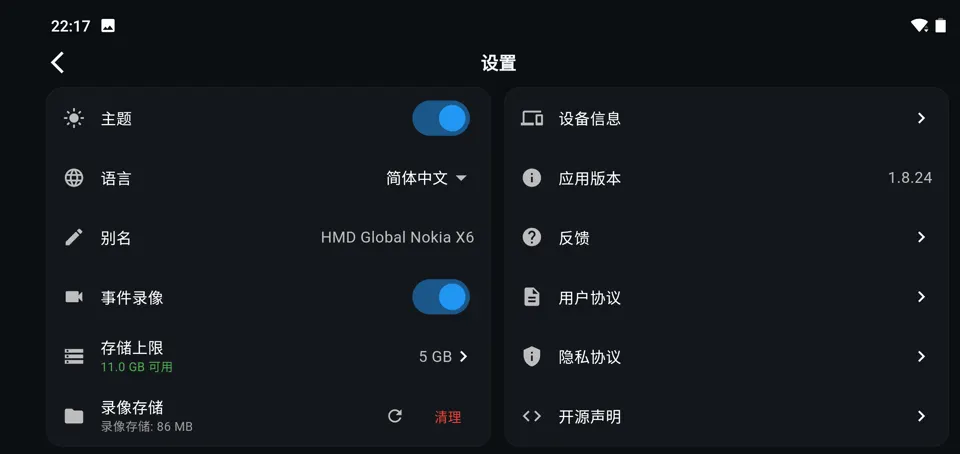
Open Settings, enable Event recording, and choose a storage limit. Keep NeoViewCam and NeoViewRec on the same local network.
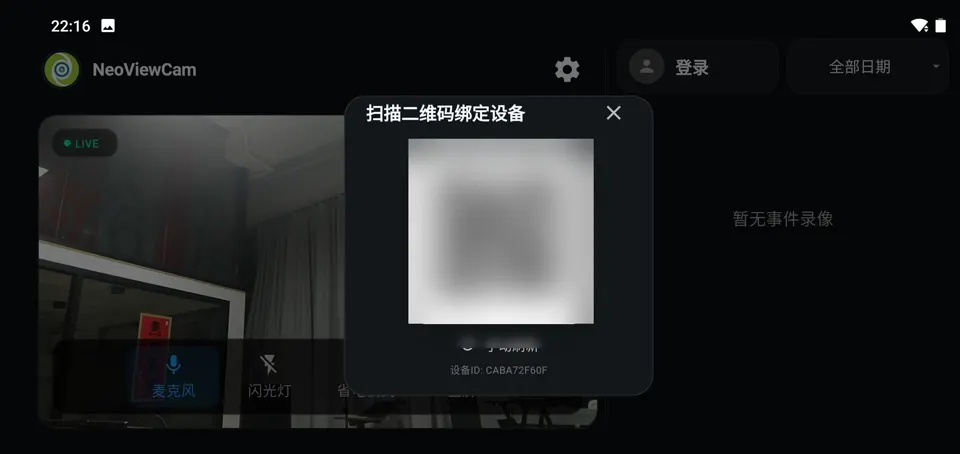
Tap Login in NeoViewCam to display its binding QR code. Open ARInsight, tap +, and scan the code to add the camera.
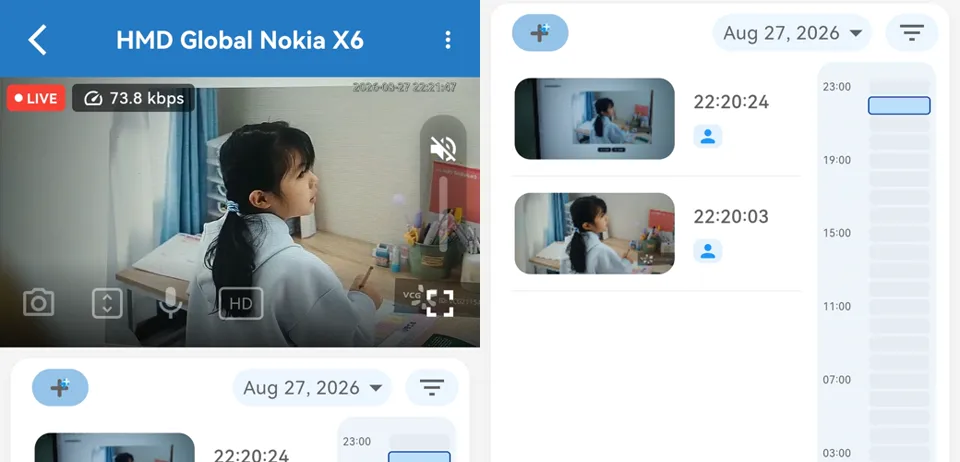
Open the camera card to view live video. Recorded events appear on the timeline below the preview.
docker ps -a --filter name=neoviewrecdocker logs -f --tail 200 neoviewrecKeep your dataKeep /data mounted to persistent storage. When using Docker Compose, do not run docker compose down -v during a normal upgrade because it deletes the named volume.